Overview
iD4+ is an audio interface for recording microphones, line-level sources and instruments, with flexible speaker control, two independent headphone mixes and extra connections for digital equipment and external studio hardware. The hardware provides direct access to input and monitoring controls. The Mixer, Smartgain, RoomTune, routing and processing are available in iD Control. Read the Safety, Warranty & Service section before first use, and begin with speaker and headphone levels turned down.
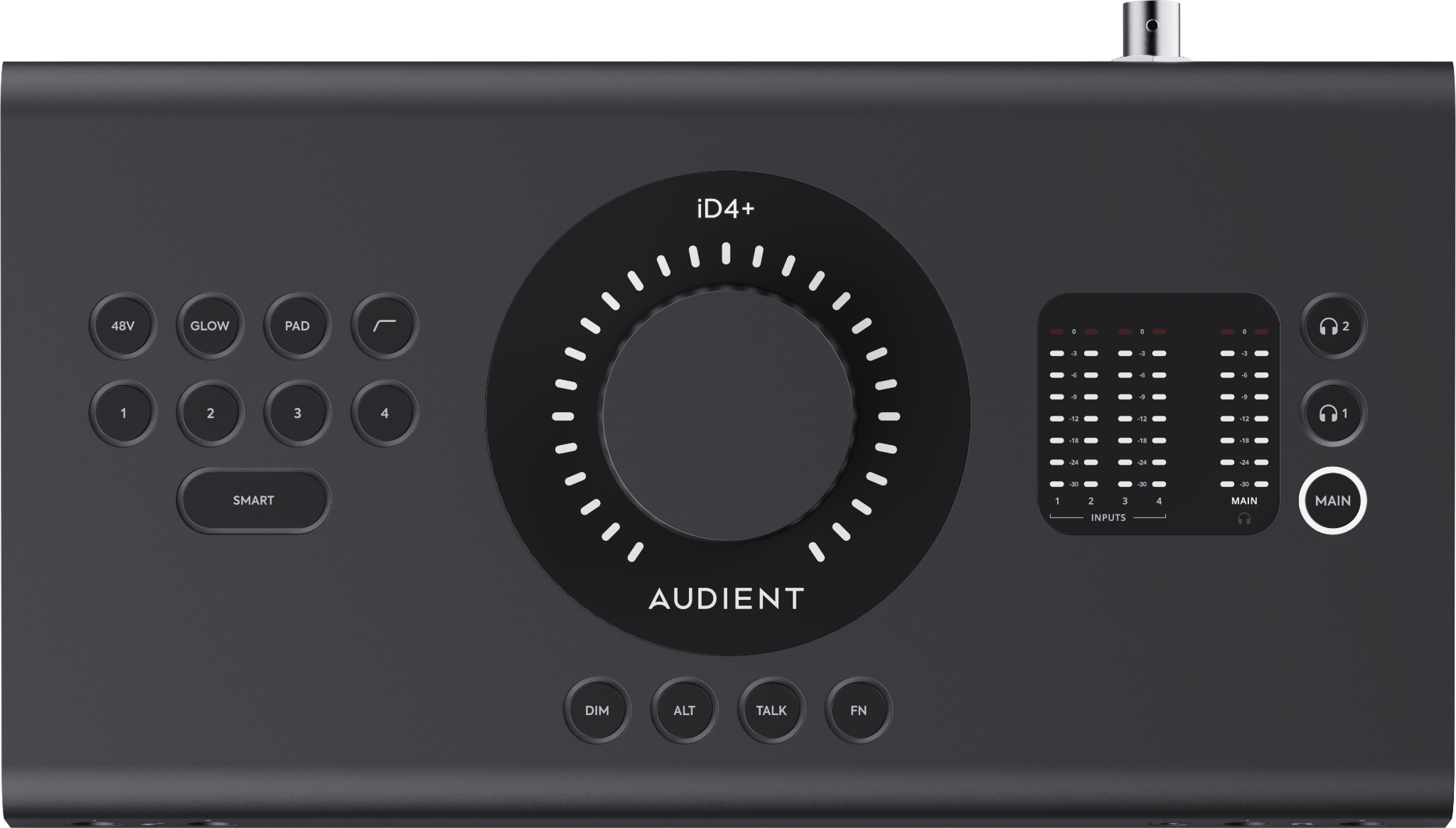
At a glance
- 4 Audient Console Mic Preamps
- 2 JFET instrument inputs for guitar or bass
- Main and ALT speaker outputs
- 2 independently controlled headphone outputs
- Dual optical ADAT or S/PDIF input and output
- BNC word clock output
- Balanced hardware inserts for Inputs 1 and 2
- 4 Independent Mixes for separate performer/headphone balances
- Smartgain automatic gain setup
- RoomTune Monitor Correction
- Audio Loopback
Hardware Overview
Front and rear panels
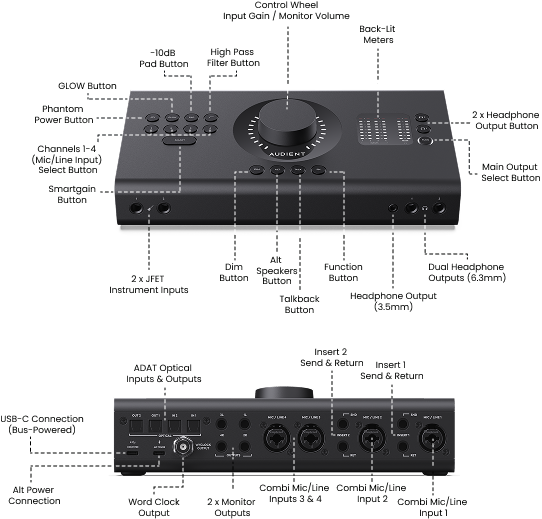
iD4+ provides four Audient Console Mic Preamps with combi-jack inputs. Two JFET instrument inputs are also available and take precedence over Mic/Line Inputs 1 and 2 when in use.
The large Control Wheel changes function depending on what you are controlling. Use it to adjust monitor level, headphone level and input gain. The LED ring around the Control Wheel shows the current setting.
iD4+ provides separate Main and ALT stereo speaker outputs, two independently controlled headphone outputs, dedicated DIM, ALT and TALK controls, and an assignable FN button.
The rear panel provides two optical inputs and two optical outputs, a BNC word-clock output, and four balanced line outputs (Main 1–2 and ALT 3–4). It also has two balanced hardware insert points allocated to analogue Inputs 1 and 2, allowing compatible outboard equipment to be connected within the analogue input path.
In a typical setup, your analogue or digital inputs are sent to the computer for recording, while playback returns to iD4+ for monitoring through Main, ALT, HP1 or HP2. The iD Control Mixer creates separate monitoring balances without changing the recording Input Gain setting.