Digital I/O & Clocking
Optical Digital Input
The iD2 optical input accepts ADAT or S/PDIF audio. Select the required format in iD Control.
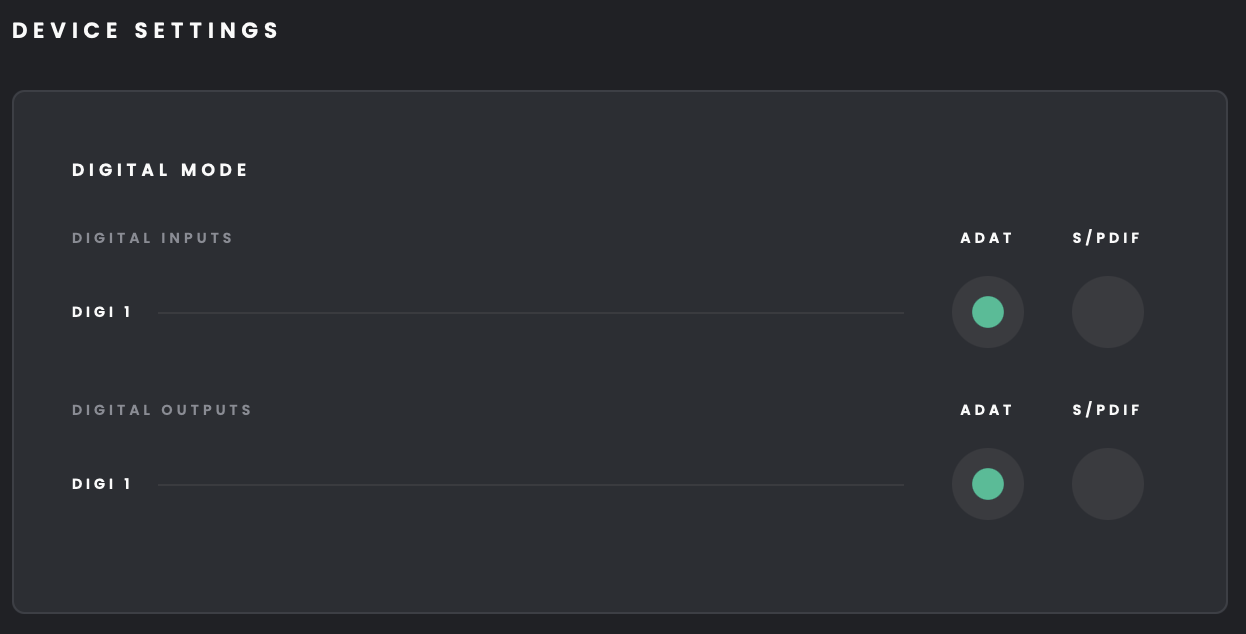
In ADAT mode, the port can provide up to eight digital input channels depending on the selected sample rate.
S/PDIF provides two digital input channels.
System Status
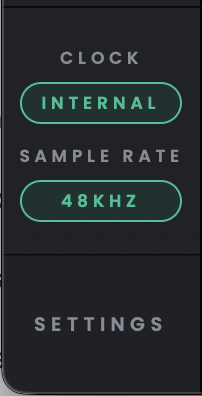
Check the System Status area in iD Control to see the current sample rate and clock source. Double-click either status pill to open Settings.
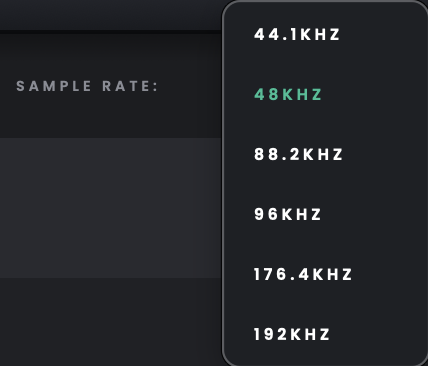
Available sample rates are 44.1, 48, 88.2, 96, 176.4 and 192 kHz. To change the sample rate, open the Sample Rate dropdown in the top-right navigation bar of iD Control.
Above 96 kHz, EQ, Compressor and Comfort Reverb are unavailable.
Digital Mode
Set Digital Mode to match the source connected to the optical input. Choose ADAT for ADAT signals or S/PDIF for two-channel optical S/PDIF. ADAT is selected by default.
In ADAT mode, the available channel count changes with sample rate:
44.1/48 kHz: 8 channels
88.2/96 kHz: 4 channels
176.4/192 kHz: 2 channels
At higher sample rates, only the first four or two ADAT channels remain available, respectively.
S/PDIF mode provides two digital input channels. Optical S/PDIF is not supported at sample rates of 96 kHz or above.
Clock Source
Use Internal for normal operation, or select Digital 1 when you want iD2 to clock from the signal arriving at the optical input.
Internal uses iD2’s own clock. Digital 1 uses the clock carried by the optical digital input.
Internal is the default clock source.

Connecting an External ADAT Microphone Preamp
Use a TOSLINK optical cable to connect the external preamp's ADAT OUT to iD2's optical input. In iD Control, set Digital Mode to ADAT. Make sure both devices use the same sample rate, then select the appropriate digital input in your DAW. The available number of ADAT channels depends on sample rate, as shown in the Digital Mode table above.
Choosing the Digital Clock Source
Because iD2 has an optical input but no digital output or word-clock output, an attached ADAT microphone preamp must provide a clock signal through its optical output. Set the preamp to use its internal clock and select Digital 1 as the clock source in iD Control. Match the sample rate on both devices and the DAW project.
If the Digital Inputs Produce Clicks or No Audio
Check that the optical cable runs from the source's output to the interface's input, the Digital Mode matches the source format, and both devices agree on the clock master and sample rate. A digital signal can be connected but still unusable if the devices are not synchronised. If the digital input is missing in the DAW, check whether the selected sample rate reduces the number of available ADAT channels.